Everything your haulage needs — in one account
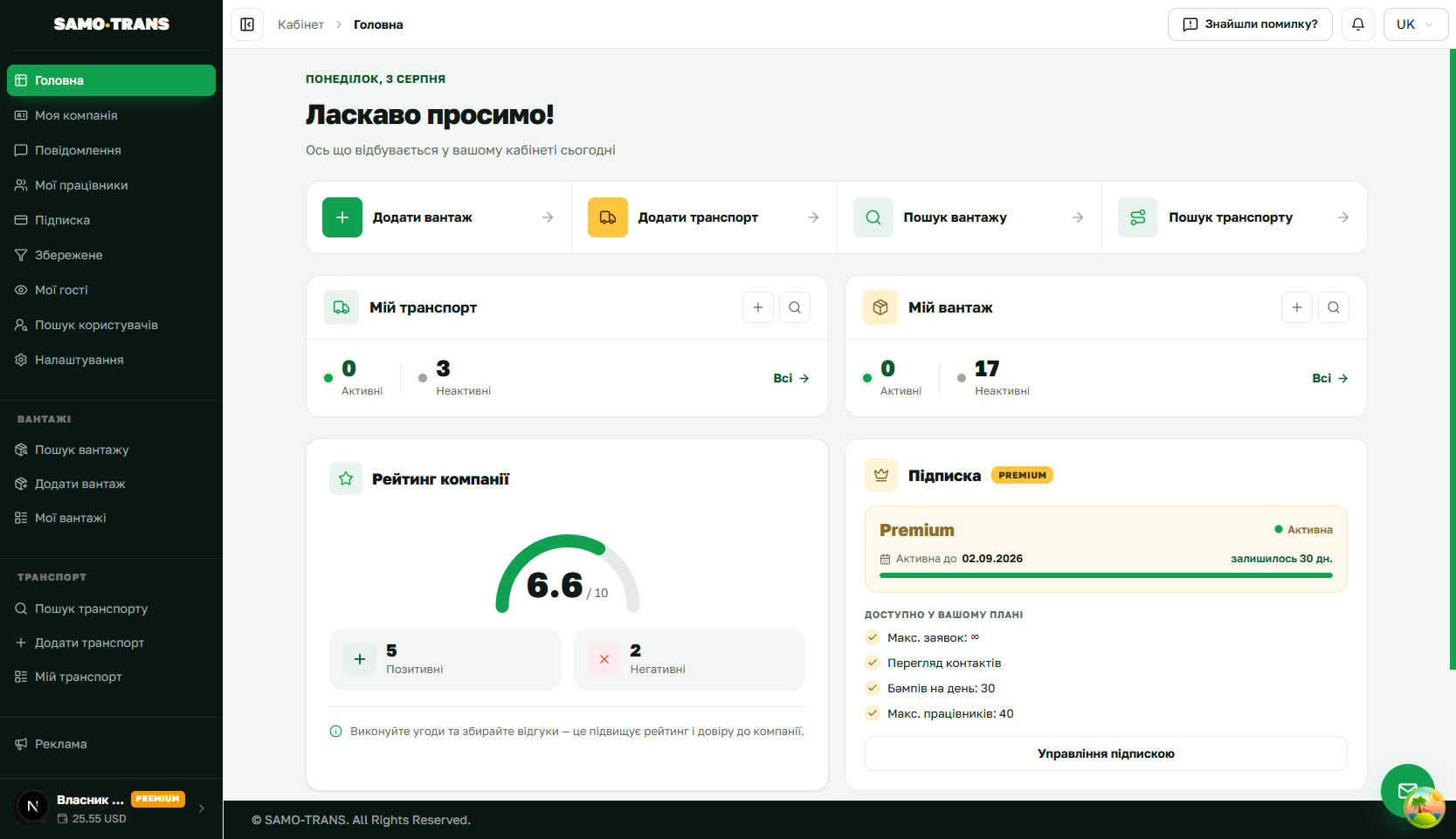
SAMO-TRANS is a freight and transport exchange and a working account in one: search by route and vehicle type, your own listings, counterparty contacts, alerts, a company page with reviews, and your team. Below is exactly what the platform does and how to use it.
- Search freight and vehicles by route, date and body type
- Telegram alerts for new listings matching your filter
- Direct contacts, no middlemen
- Company page, reviews and rating
- A team with roles: dispatcher, manager, driver, logistician
Who SAMO-TRANS is for
The platform is used by people who haul, ship or arrange transport every day.
For shippers
Post a listing once — carriers come to you with their terms.
For carriers
Find loads for an empty vehicle, including part loads and return runs.
For freight forwarders
Freight and vehicles in one place: match them up and keep everything current.
For transport companies
Several vehicles, a team with roles and one shared company page.
For dispatchers and logisticians
Filter listings fast by direction, body type and tonnage.
For private customers
A one-off move of furniture, appliances or equipment on the date you need.
Freight and vehicle search
- Listings exchangeCurrent loads and available vehicles in a single feed — with route, dates, weight and body type.
- Precise routesPlace-name suggestions as you type — region, district, town. No spelling slips, no listings that go missing.
- Saved filtersFrequent searches are saved and reopen in one click — no refilling the form every time.
- Alerts on new listingsTurn on a Telegram alert for a saved filter and matching loads arrive in your messenger. You can set how long the alert stays active.
- FavouritesStar the listings you care about. The card stays with you even after the listing is taken down.
- Part loads and return runsDirection and date filters help you top up a vehicle along the way instead of running back empty.
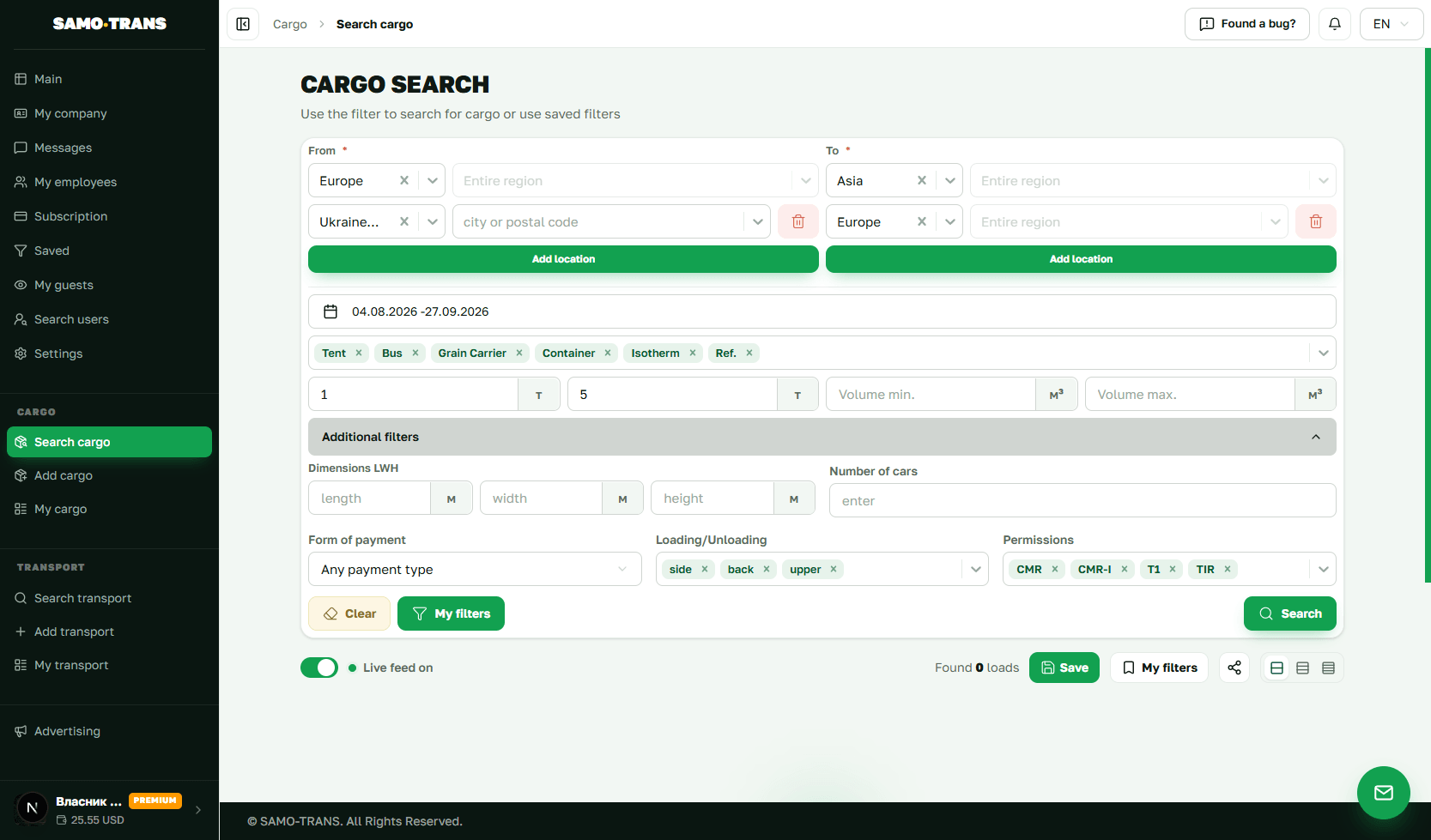
Your listings and how to promote them
- A listing in a few stepsA step-by-step wizard: route, dates, cargo or body type, weight, volume, requirements and payment.
- Duplicate and editA recurring run is created by copying the previous one. Statuses: active, closed, archived.
- Bump to the topBump a listing up the results so it is seen first. How many bumps a day depends on your plan.
- Auto-bumpThe platform bumps the listing for you at the interval you choose — no clock-watching. Available from the Basic plan.
- Colour highlightingA highlighted listing stands out in the feed. Available from the Standard plan, with a number of highlights free each month.
- Publishing to TelegramNew listings go to our channel automatically, and the channel post updates when you edit them.
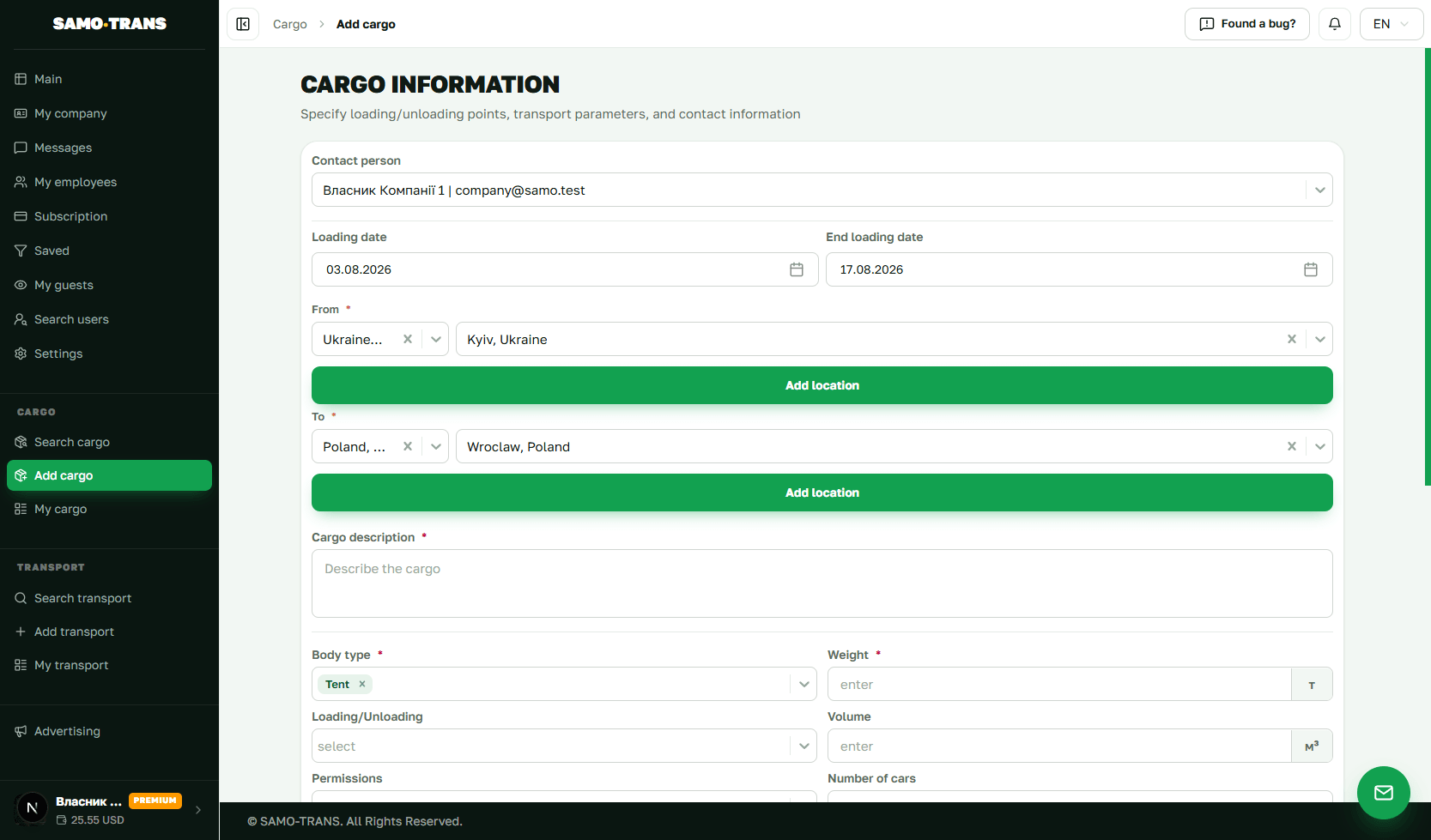
Search tuned to your run
Combine the parameters and the feed shows only what genuinely fits.
Reaching your counterparty
- Direct contactsThe counterparty's phone number is visible on paid plans — agree terms directly, with no middlemen.
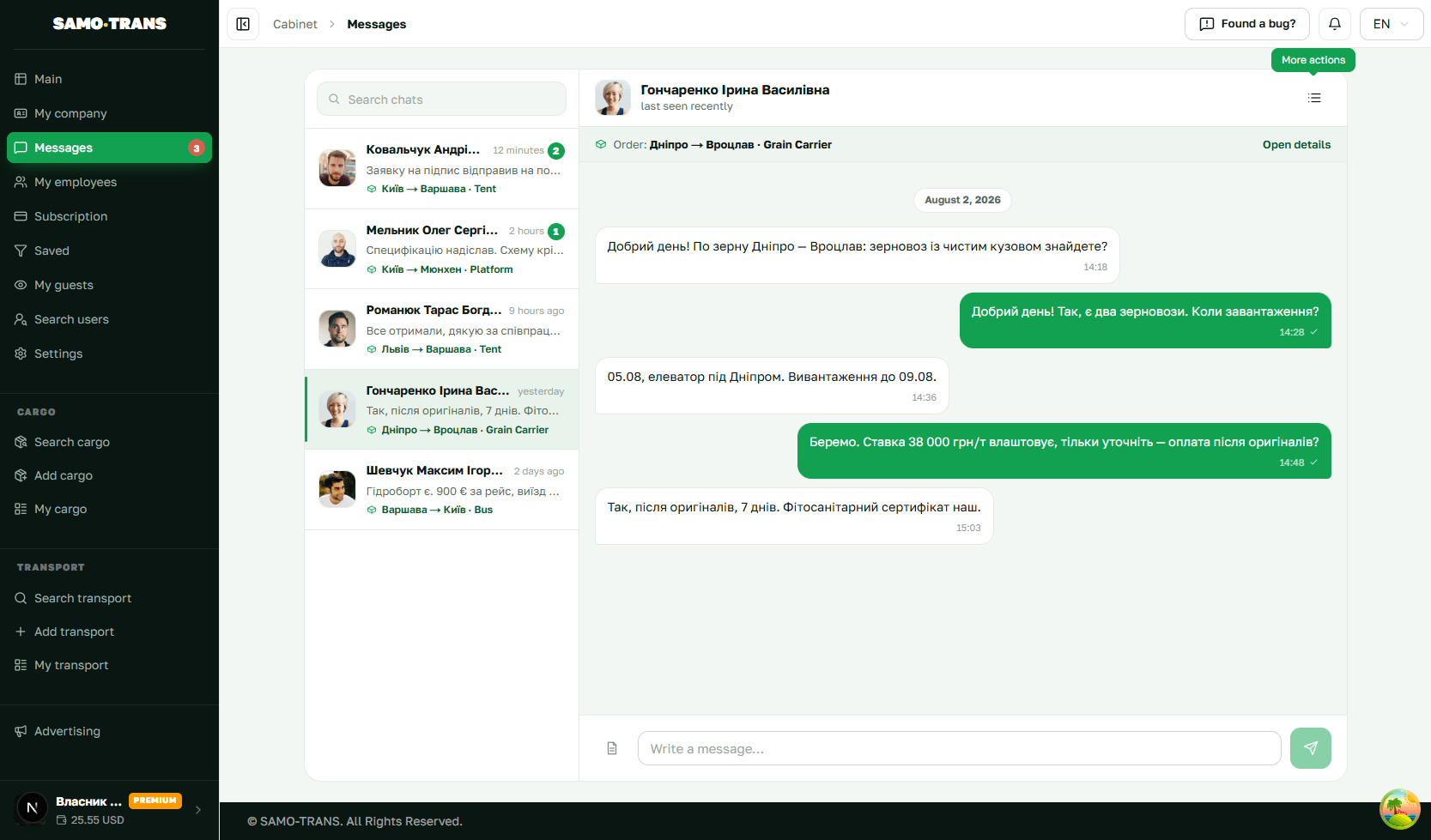
- Real-time chatDiscuss the details of a run on the platform itself; the conversation history stays in your account. Available from the Standard plan.
- NotificationsA bell in your account, an email, and a direct message in Telegram. Quiet hours keep the night undisturbed.
- Profile visitorsSee who viewed your page: how many views, unique visitors and active days.
- Reports and blockingReport a violation or block a user — the report goes to moderation.
- Confirmed detailsEmail and phone are confirmed, and verified companies carry a “Verified” badge.
Company, team and reputation
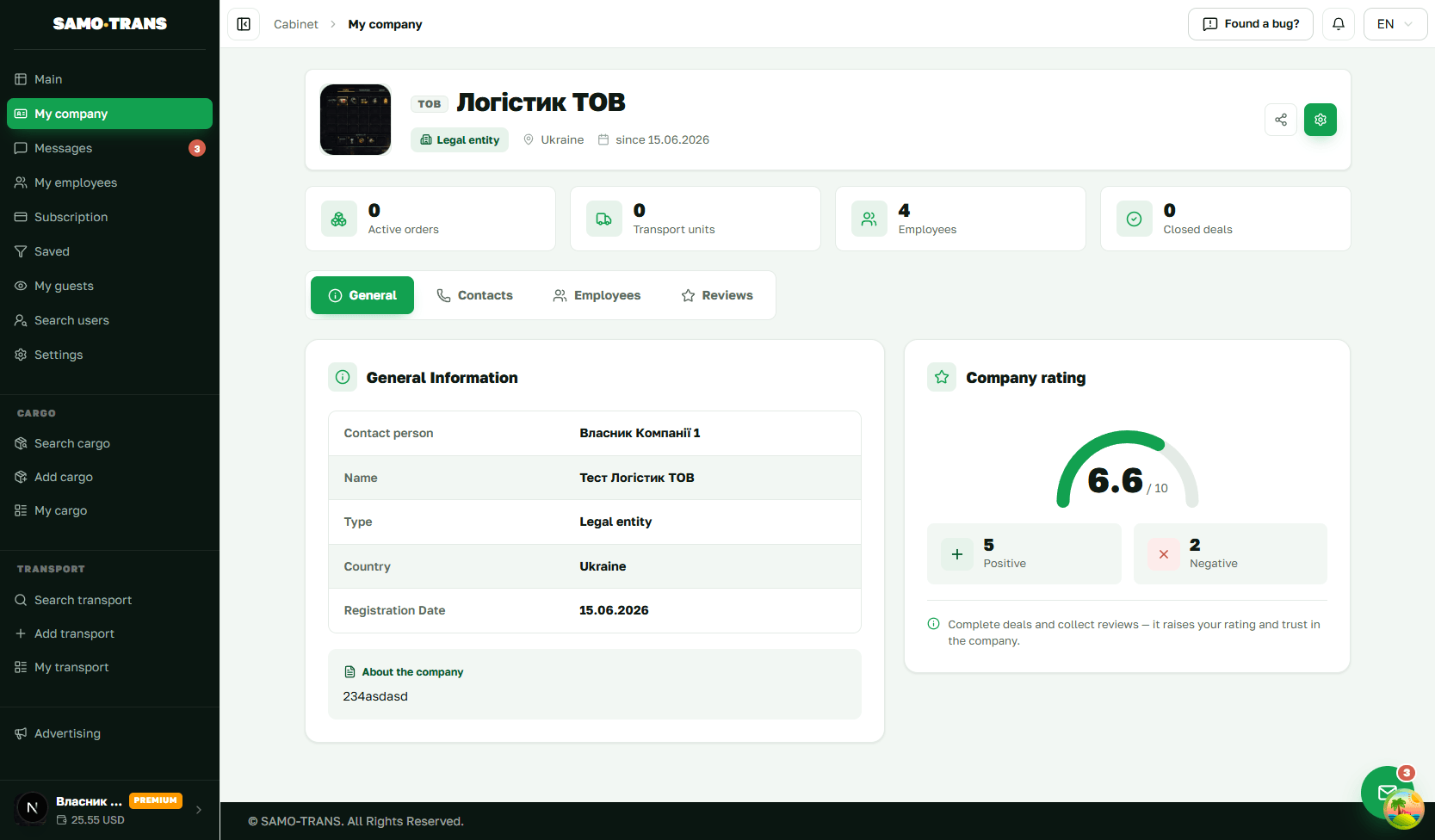
- Company pageLogo, description, contacts, the routes you work and your active listings — the shop window your partners see.
- Reviews and ratingRatings with comments after you work together. Access to company ratings starts with the Standard plan.
- Staff and rolesInvite your team and assign rights: owner, administrator, dispatcher, manager, driver, logistician.
- VIP statusA VIP emblem on your profile and listings, and your logo on the home page — on the Premium plan.
- Profile statisticsPage views, unique visitors and activity — you can see how your shop window is performing.
- Five interface languagesUkrainian, English, Russian, German and Polish — handy for international routes.
Safety and trust
- Email and phone confirmation at sign-up
- A “Verified” badge on the company profile
- Reviews and ratings based on completed work
- Reporting violations and blocking users
- Listing moderation and checks on contact details in descriptions
How to start
Signing up is free. Search works straight away; posting listings comes once your profile is filled in.
Payment, bonuses and integrations
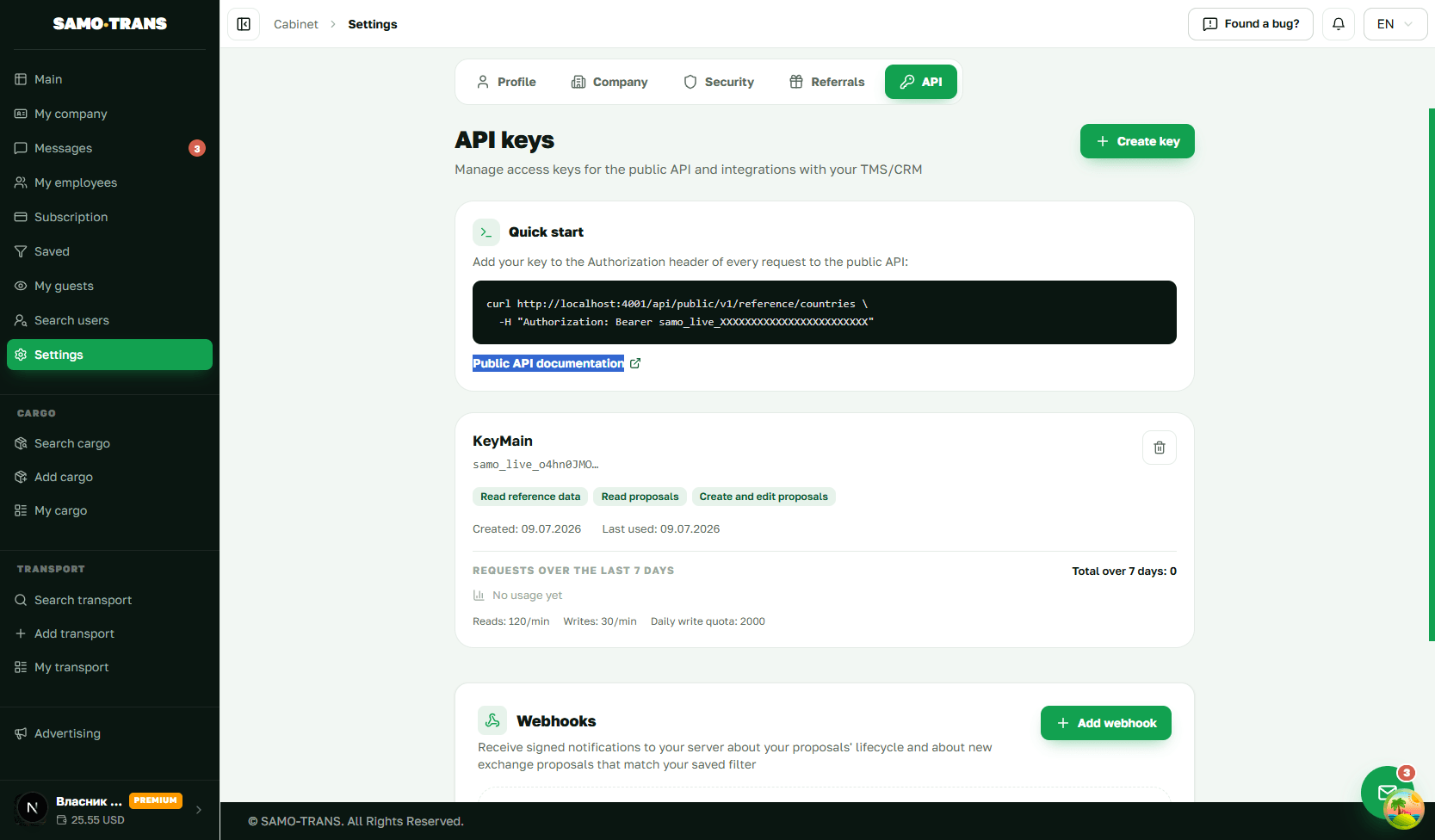
Subscription, wallet and API access — all in your account settings.
How it works
Sign up
Create a profile, confirm your email and phone, choose your role.
Set up
Fill in your company, add staff and save the search filters you need.
Search or post
Search the feed for freight and vehicles, or post a listing of your own.
Alerts
Turn on a Telegram alert and new matching listings come to you.
Get in touch
Open the contacts or write in chat and agree the terms of the run.
Run and review
Complete the job and leave a review — it builds your reputation.
Frequently asked questions
A quick look at the features and plan limits.
Yes. Signing up is free, and search plus posting listings within a limit work on the free plan. Paid plans open up counterparty contacts, more listings, bumps, chat and other features — there is a comparison on the pricing page.
Direct contacts are available on paid plans. On the free plan you see the listing itself and its parameters; contacts open once you move to Basic or above.
Save a filter with the direction and parameters you need and switch on Telegram alerts. New listings matching the filter will arrive in your messenger. You choose how long the alert runs.
The number of active listings depends on your plan — from a basic limit on the free plan to unlimited on Premium. Current figures are on the pricing page.
Yes. Invite staff into your company and give each of them a role: administrator, dispatcher, manager, driver or logistician. How many staff you can add depends on your plan.
A bump returns the listing to the top of the feed; a highlight marks it with colour. Both make a listing more noticeable. Limits depend on your plan, and auto-bump is available from Basic.
Yes — the Premium plan includes a public REST API and webhooks, so you can export listings and receive events in your own TMS or CRM. Keys are created in your account settings.
The interface is available in Ukrainian, English, Russian, German and Polish.
Do you have cargo or transport?
Post your offer — and find the right partner today.